Facebook stylish name generator
A Facebook stylish name is your name written with fancy letters or symbols (𝐀𝐫𝐲𝐚𝐧, ꧁Aryan꧂); type your name, pick a style, and see whether it fits the profile name, the nickname field or only your bio.
Want the rules first? Read whether stylish names are allowed on Facebook.
Type a name, get styles
Each style shows where it can go: profile name, nickname (Other names) or bio. Results come from the generator above, built on Unicode letter styles and symbol sets — no two names share a verdict table by chance. For titles and crowns, see VIP-style names.
| Name | Normal | Bold letters | Script / small caps | With symbols |
|---|---|---|---|---|
| Kabir | ✓ Passes | ! Risky | ! Risky | ✕ Rejected |
| Riya | ✓ Passes | ! Risky | ! Risky | ✕ Rejected |
| Imran | ✓ Passes | ! Risky | ! Risky | ✕ Rejected |
| Meera | ✓ Passes | ! Risky | ! Risky | ✕ Rejected |
| Dhruv | ✓ Passes | ! Risky | ! Risky | ✕ Rejected |
| Sana | ✓ Passes | ! Risky | ! Risky | ✕ Rejected |
| Farhan | ✓ Passes | ! Risky | ! Risky | ✕ Rejected |
| Anaya | ✓ Passes | ! Risky | ! Risky | ✕ Rejected |
Why bold and script letters are “risky”: they are not real letters but mathematical symbols that look like letters. Facebook sometimes accepts them and later asks you to change the name, and you can only change your name a limited number of times.
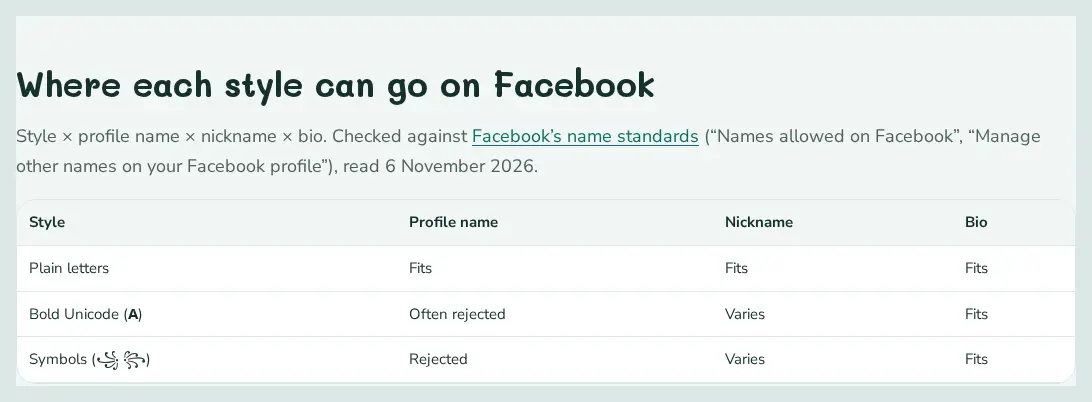
Where each style can go on Facebook
Style × profile name × nickname × bio. Checked against Facebook’s name standards (“Names allowed on Facebook”, “Manage other names on your Facebook profile”), read 6 November 2026. Setting up the main profile name itself? See names for a Facebook ID.
| Style | Profile name | Nickname | Bio |
|---|---|---|---|
| Plain letters | Fits | Fits | Fits |
| Bold Unicode (𝐀) | Often rejected | Varies | Fits |
| Symbols (꧁ ꧂) | Rejected | Varies | Fits |
Using a stylish nickname
The nickname field (Other names) can show next to your name and is the safer place for styling. Full step-by-step setup guide.
| Nickname for “Other names” | Verdict |
|---|---|
| ✓ Passes | |
| ✓ Passes | |
| ✓ Passes | |
| ✓ Passes | |
| ✓ Passes | |
| ✓ Passes | |
| ✓ Passes | |
| ✓ Passes |
- Open Facebook Settings and find Name (on newer versions it sits inside Accounts Center under your profile).
- Paste the plain or “passes” version in First and Last name and save.
- Add a nickname under About → Details about you → Other names.
- Paste a decorated version in your bio (intro), which allows up to 101 characters.
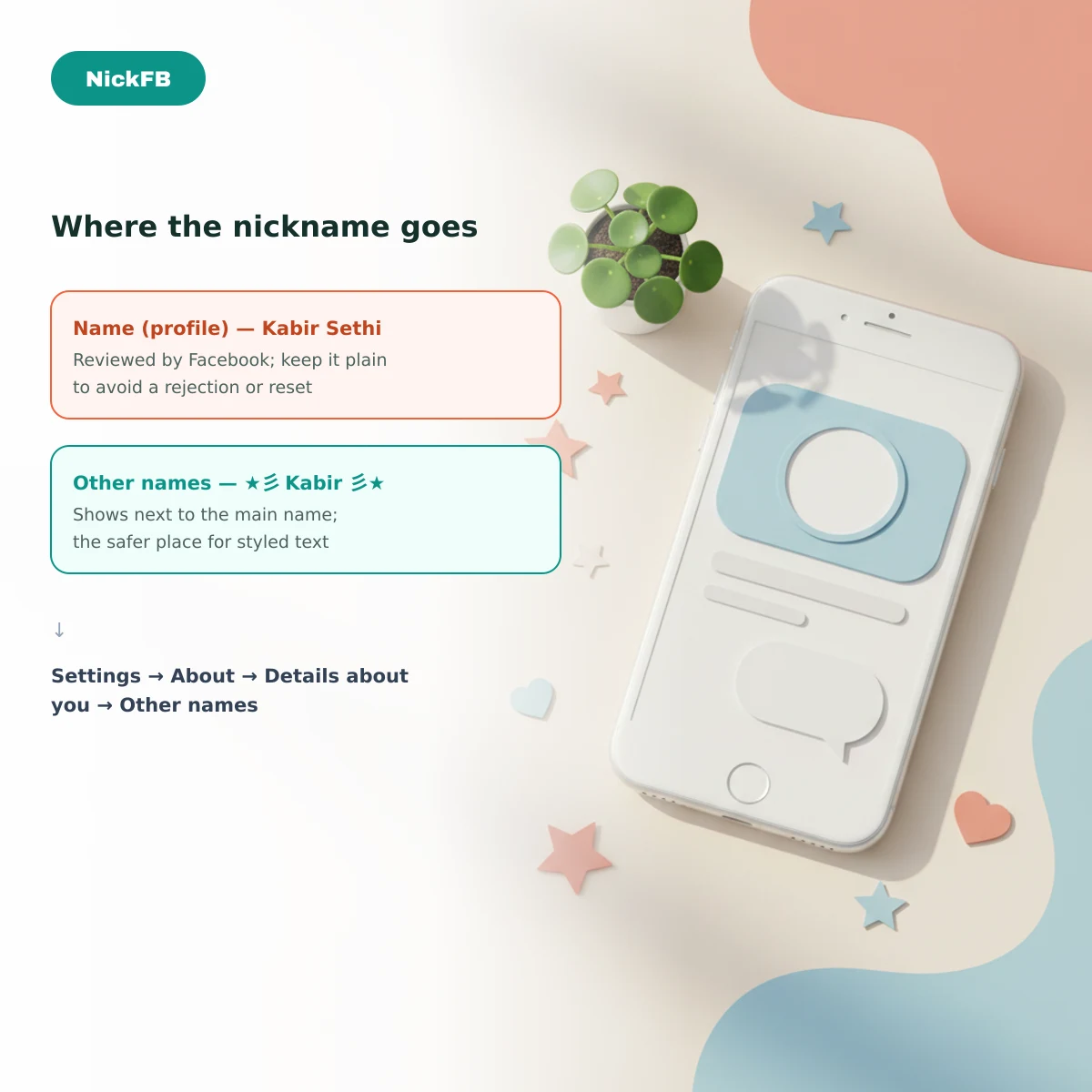
Facebook reviews profile names; a styled name may be rejected or later asked to be changed, so keep your real name readable.
Tap a symbol to copy it. With a profile field selected, use “Add to field” to append it there instead.
Full style tables with a Facebook verdict for one name at a time.
Nothing yet. Tap any result to copy it — it will show up here.